 ScanLeap
▧
Smarter scanning
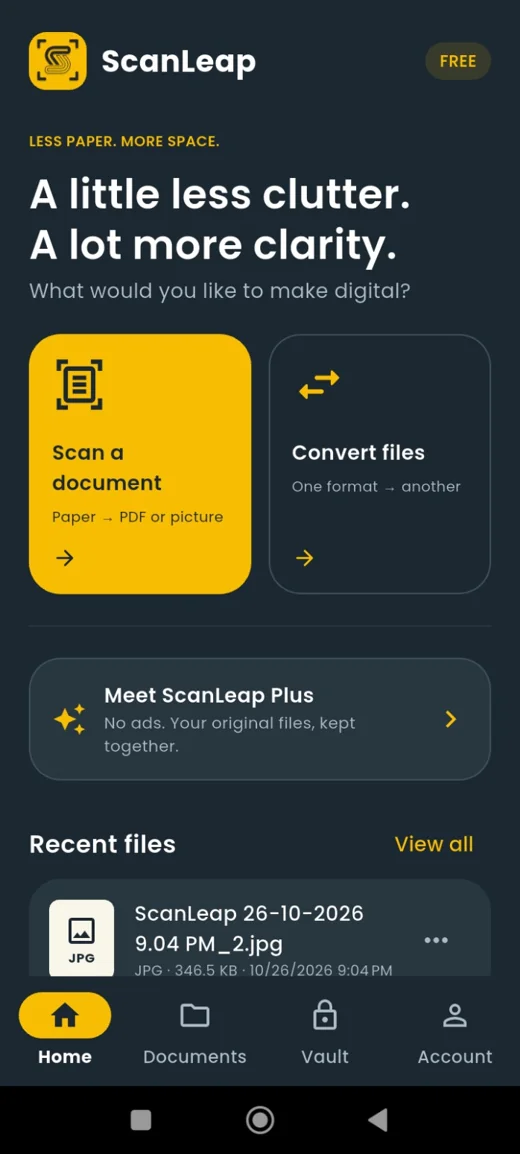
Capture single pages or batches, adjust edges and create clear PDFs or images.
Scan, enhance, convert, edit and organize your documents—all in one beautifully simple app. Go even further with ScanLeap Plus.
Scan free. Upgrade when you're ready for more.
Whether it's a receipt, a contract, a class note or your most important paperwork, ScanLeap helps you get it done without the clutter.
Capture single pages or batches, adjust edges and create clear PDFs or images.
Use enhanced image filters and adjustments to make every page easier to read.
Turn images, Word files and presentations into PDFs, or export PDF pages as images.
Combine documents, split PDFs and edit text or pages with ScanLeap Plus.
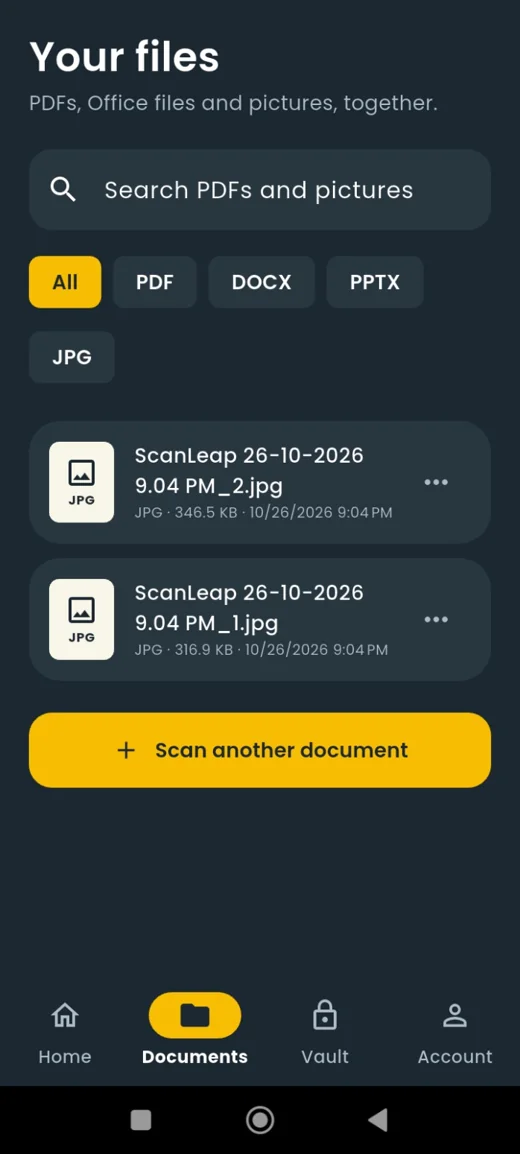
Browse, search and manage your PDFs, Office documents and pictures together.
An updated experience designed for quicker workflows and more responsive interactions.
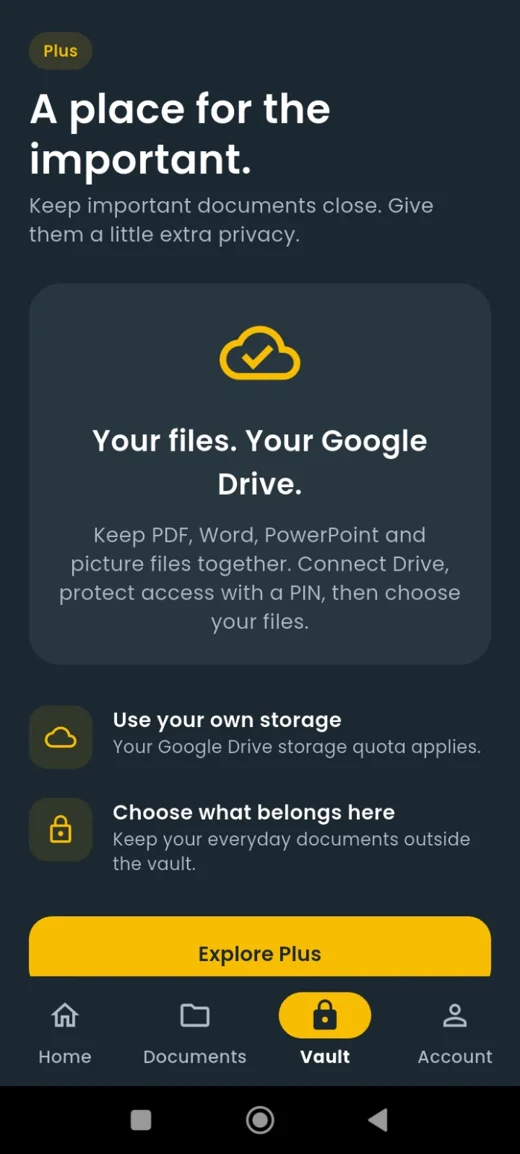
Keep important documents close, without mixing them into your everyday files. ScanLeap Plus brings your private vault into your own Google Drive.
iCloud backup is a proposed future integration; availability is not yet confirmed.
Go from paper to digital, change formats and refine your documents—all without switching apps.
Scan a page or a full batch using your phone, with controls to align and frame documents.
Apply filters and adjust your scans for a cleaner, more readable result.
Keep files organized, export in your preferred format and share them when needed.
Go beyond the essentials with an ad-free workflow, advanced PDF tools and a private Drive vault.
Flexible monthly billing
About Rs 692 per month
Subscription purchases and management happen in the ScanLeap app through Google Play. Pricing shown is based on the supplied app screens and may include or exclude local taxes. Final pricing is displayed before purchase. Subscriptions auto-renew until canceled.
Yes. The free experience supports scanning and document conversion with rewarded ads for certain actions. Upgrade to Plus to remove ads and access premium features.
Plus unlocks an ad-free experience, a Google Drive-backed vault with private access controls, and advanced PDF features such as splitting and editing PDFs.
The vault is designed to use your own Google Drive storage. Your Google Drive account's storage quota applies, and you choose which files belong in the vault.
iCloud integration is part of the proposed roadmap for the website and product; the supplied app screenshots confirm Google Drive support, not iCloud availability.
On Android, subscriptions are purchased and managed through Google Play. Check the subscription details and final price in the app before confirming.
Yes. ScanLeap includes batch scanning with PDF or image output. The free app may ask you to view rewarded ads for this action.
Join thousands of users who trust ScanLeap for their daily scanning needs.